Operations teams
Review purchase orders, delivery notes, or intake forms that arrive in a familiar layout but still require repeated copying.
Capture important fields consistently so a person can validate exceptions instead of retyping every value.
Document workflows
Ai builder document processing helps turn information trapped in files into structured, reviewable work. Describe the document task you want to explore, then refine the workflow around the fields, checks, and actions that matter.

Related capabilities
Document work rarely ends at extraction. These related paths help you decide whether to train a model, calculate from captured values, or improve the instructions behind the result.
Practical applications
The strongest use cases begin with a repeatable document decision. Each example below pairs a common responsibility with a more structured next step.
Review purchase orders, delivery notes, or intake forms that arrive in a familiar layout but still require repeated copying.
Capture important fields consistently so a person can validate exceptions instead of retyping every value.
Turn invoices and expense documents into a review queue with vendor, date, amount, and reference details in view.
Reduce the distance between an uploaded file and the checks needed before approval or entry.
Pull case numbers, customer details, issue categories, and requested actions from submitted forms or correspondence.
Give agents a consistent starting point while preserving a human checkpoint for ambiguous requests.
Locate named clauses, dates, obligations, or missing sections across policy documents and agreements.
Create a focused review list that makes document comparison more deliberate and easier to audit.
Workflow logic
A dependable document workflow separates extraction from judgment. That makes it easier to see what the system found, what needs review, and what should happen next.
Start with the document type and the outcome you need. Name the fields to capture, the conditions that matter, and the format that will be easiest for a person or downstream process to review.
Provide a representative document task and examine the returned values. Check labels, dates, amounts, missing fields, and uncertain text rather than treating every extracted value as final.
Send incomplete or ambiguous cases to a human review step. Improve the instructions, field definitions, or model approach when the same type of exception appears repeatedly.
Decision guide
Automation is most useful when it makes the review boundary clear. This comparison shows where a document workflow can assist and where a person remains essential.
| Document workflow | Manual review | |
|---|---|---|
| First pass | Scans the file for named fields and recurring information. | A person reads the file and identifies relevant information. |
| Consistency | Uses the same requested fields and output shape across similar tasks. | Results can vary with workload, attention, and individual habits. |
| Judgment | Flags information for review but should not replace contextual judgment. | Can interpret unusual wording, intent, and surrounding circumstances. |
| Traceability | Creates a structured result that can be checked against the source file. | Can explain a decision directly but may leave less standardized notes. |
| Exception handling | Needs explicit rules or a review route for missing, unclear, or conflicting data. | Can pause, ask questions, and resolve unfamiliar cases in context. |
| Best fit | High-volume, repeatable extraction with a defined review boundary. | Sensitive, novel, or high-consequence decisions requiring accountable judgment. |
Workflow example
The useful change is not merely a shorter reading task. It is the shift from scattered information to a visible set of fields that a person can verify and act on.
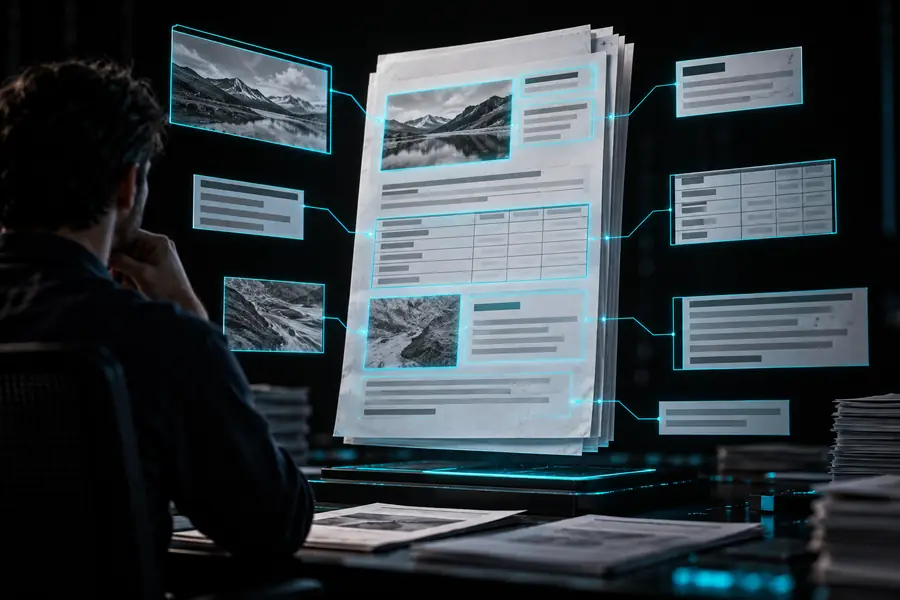

The output still needs checking against the original file.
Source documentReviewable outputHonest boundaries
Document processing is a support layer, not a promise that every file can be understood perfectly. Design the workflow around these boundaries from the beginning.
Low-quality scans, handwriting, unusual layouts, and missing context can produce incomplete or incorrect fields.
What to do instead
Keep the source file visible and route low-confidence or missing values to human review.
A captured amount, clause, or date does not automatically reveal whether it is acceptable under your policy.
What to do instead
Add explicit rules and a responsible reviewer for decisions with legal, financial, or operational consequences.
Processing a file does not establish retention, access, audit, or approval practices for the information inside it.
What to do instead
Pair the workflow with your own permissions, retention rules, and review records.
If the desired fields, output format, and exception path are unclear, the result will be difficult to evaluate.
What to do instead
Write a small field list and success check before expanding the workflow to more documents.
Next step
Start with one repeatable file type and one decision that currently consumes manual effort. A focused prompt gives you something specific to inspect, refine, and hand to the right reviewer.
Common questions
It means using an AI-assisted workflow to identify, extract, classify, or organize information from documents. The result is usually a structured set of fields or a reviewable output rather than the original file alone.
Suitable documents are usually repeatable business files such as invoices, forms, purchase orders, agreements, or reports. The practical fit depends on the file quality, layout, fields required, and amount of human review you can provide.
A document workflow can be designed around named fields, repeated values, and table-like information. Always compare important results with the source because scans, unusual layouts, and ambiguous labels can affect extraction.
No. It can reduce repetitive reading and copying, but a person should review missing, uncertain, or high-consequence results. The safest design makes exceptions visible instead of silently accepting every output.
Choose one recurring document type, list the fields you need, and define what counts as an exception. Test the workflow on representative files, inspect the outputs against the originals, and refine the instructions before broadening the scope.